Paying your property tax or utility bill might not be the most exciting task on your to-do list, but it’s undoubtedly one of the most important. Whether you’re a long-time Toronto resident or new to the city, understanding how to manage these payments efficiently can save you time, money, and stress. From the Toronto water bill payment process to viewing your property tax bill online, this guide will walk you through everything you need to know. Let’s dive in!
What Does a Utility Bill Include?
Understanding the breakdown of your utility bill is essential for effective budgeting and resource management. In Toronto, a typical utility bill primarily encompasses water and solid waste services charges. Here's a closer look:
Water and Sewer Charges:
- This portion of the bill reflects the cost of supplying clean water to your property and managing wastewater.
- Charges are typically based on metered water consumption, meaning you pay for the actual amount of water used.
- It's important to note that the water bill in Toronto is a part of this utility bill.
- As mentioned in the search results, estimated water charges may also exist. Therefore, checking for discrepancies once a meter read has been completed is important.
Solid Waste Charges:
- This covers the cost of waste collection and disposal services the city provides.
- These charges contribute to the maintenance of Toronto's waste management infrastructure.
Billing Frequency:
- In Toronto, most residential properties with automated water meters are billed on a four-month cycle, resulting in three yearly bills.
- Those who are considered high-volume water users are billed every month.
Key Considerations:
- It is important to understand that an early payment discount can be applied to the water/sewer portion of the bill.
- If the city detects an unusual increase in water usage, it is also possible to get high water consumption letters.
- It is also possible to receive e-bills and digital versions of utility bills.
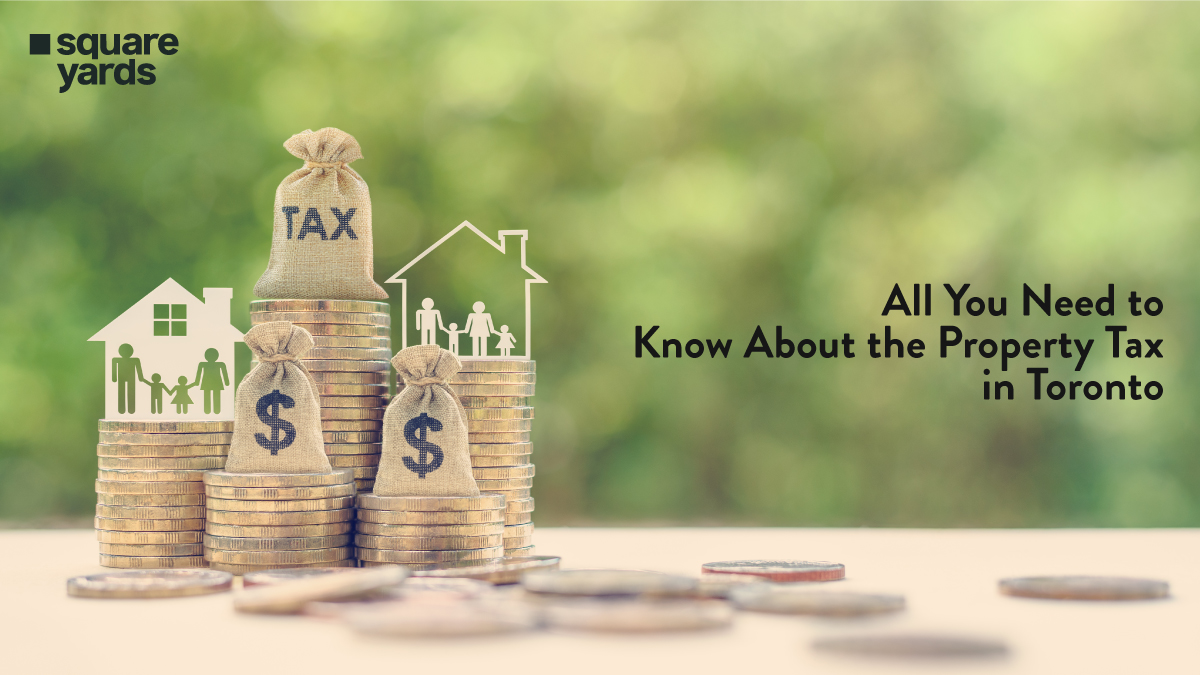
What are the Benefits and Advantages of Filing Property Tax?
While paying property taxes might seem like a burden, it's essential to understand the direct and indirect benefits it brings to both individual homeowners and the community as a whole. Here's a breakdown of the advantages:-
Funding Essential Municipal Services
Your property tax payments are the primary source of funding for crucial services that enhance the quality of life in Toronto. This includes:-
- Infrastructure Maintenance: Roads, bridges, and public transit systems are maintained and improved using property tax revenue.
- Emergency Services: Police, fire, and ambulance services are funded through property taxes, ensuring public safety.
- Community Programs: Parks, libraries, recreational facilities, and social programs rely on property tax revenue.
- Waste Management: Services like garbage collection and recycling are funded by property taxes.
Maintaining Property Value
A well-funded municipality is more likely to invest in infrastructure and community amenities. This can contribute to increased property values over time.
Civic Responsibility
Paying property taxes is a fundamental civic duty. It's your contribution to the city's collective well-being.
Avoiding Penalties and Legal Issues
Timely payment of property taxes prevents late fees, interest charges, and potential legal complications, such as liens on your property.
Access to City Services
By contributing to the city's revenue, you ensure your access to the services and amenities that make Toronto a desirable place to live.
Community Development
Property taxes support initiatives that enhance community development, such as affordable housing projects and local economic development programs.
5 Ways to Pay Property Tax and Utility Bill
When it comes to paying your property tax bill or utility bill, Toronto offers several convenient options. Whether you prefer online payments, in-person visits, or even phone payments, there’s a method that suits your lifestyle. Here’s a quick look at the most popular ways to pay:-
- Online Payments: The easiest and most convenient option. You can pay taxes online or make a Toronto water bill payment through the city’s official portal. Simply log in to the utility account, enter your details, and complete the payment in just a few clicks.
- In-Person: If you prefer face-to-face interactions, you can settle your bills at a city office or authorised payment centre.
- Phone Payments: For those who want to pay over the phone, the Toronto Utility Bill Phone Number is available for assistance. Just call, provide your details, and follow the prompts to complete your payment.
- Mail: You can also mail a check or money order, though this method takes longer to process.
- Pre-Authorised Payments: Set up automatic withdrawals from your bank account to ensure you never miss a payment.
Process to Lookup your Property Tax & Utility Account
Keeping track of your property tax and utility account details is essential for managing your payments and staying on top of your finances. Here’s a detailed guide on how to perform a Toronto utility bill lookup or access your property tax account:-
1. Lookup Your Property Tax Account
If you need to access your property tax bill or check your payment history, follow these steps:-
Step 1: Go to the City of Toronto’s official property tax website.
Step 2: If you already have an account, log in using your credentials. New users must create an account by providing their property tax account number and other required details.
Step 3: Once logged in, you’ll be able to check and view your current and past bills, see payment due dates and amounts. You can also, review your payment history and receipts.
Step 4: If you need a physical copy of your bill or receipt, you can download and print it directly from the portal.
*Pro Tip: If you’ve misplaced your property tax account number, contact the city’s customer service team for assistance.
2. Lookup Your Utility Account
For your Toronto utility bill, the process is just as simple. Here’s how to perform a Toronto utility bill lookup:-
Step 1: Visit the City of Toronto’s utility bill website.
Step 2: Use your My Utility account login details. If you don’t have an account, you’ll need to sign up using your utility account number, which can be found on your bill.
Step 3: Once logged in, you can view your current and past Water Bill Toronto statements. Toronto utility bill frequency (e.g., monthly, quarterly) and your payment history and upcoming due dates.
Update your account information, such as your mailing address or contact details.
Step 4: Need a copy of your bill? You can easily download or print it from the portal.
*Bonus Tip: If you’re unsure about your utility account number, you can find it on any previous bill or contact customer service for help.
How to Pay Toronto Property Tax and Utility Bill Online?
The most convenient and time-saving option for paying your property tax or utility bill online is to use Toronto’s online payment system. It is user-friendly, secure, and accessible 24/7, making it a popular choice for residents. Here’s a step-by-step guide to help you navigate the process smoothly.
Pay Property Tax Online
Paying your property tax bill online is quick and straightforward. Here’s how to do it:-
Step 1: Go to the official website of City of Toronto’s property tax.
Step 2: If you’re a first-time user, you must create an account. For returning users, simply log in to your existing account.
Step 3: This number is on your property tax bill. It’s essential to link your payment to the correct property.
Step 4: You can pay using a credit card, debit card, or bank account. Note that some methods may have processing fees.
Step 5: Double-check the payment details, including the amount and due date, to ensure accuracy.
Step 6: Once confirmed, submit your payment. You’ll receive a confirmation number and an email receipt for your records.
*Pro Tip: If you’re unsure about your account details, view your property tax bill online to verify the amount due and payment deadlines.
Pay Utility Bills Online
Paying your Toronto utility bill online is just as easy. Whether it’s your Water Bill in Toronto or other utility charges, follow these steps:-
Step 1: Visit the City of Toronto’s utility bill payment page.
Step 2: Use your My Utility account credentials to log in. If you don’t have an account, you must sign up using your utility account number.
Step 3: If you have multiple bills, choose the one you want to pay. You can also set up recurring payments for future bills.
Step 4: Provide your credit card, debit card, or bank account information. Ensure the details are correct to avoid any issues.
Step 5: Review the payment amount and due date, then confirm the transaction.
Step 6: Once the payment is processed, you’ll receive a confirmation number and an email receipt. Keep these for future reference.
*Bonus Tip: If you’re unsure about your utility bill details, you can perform a Toronto utility bill lookup to access your billing history and verify the charges.
Why Pay Online?
- Convenience: Pay from the comfort of your home, anytime, anywhere.
- Speed: Online payments are processed faster than mailed checks or in-person payments.
- Eco-Friendly: Reduce paper waste by opting for electronic bills and receipts.
- Tracking: Easily track your payment history and upcoming bills through your My Utility account or property tax portal.
Late Fees & Charges: Toronto Property Tax & Utility Bill
Nobody wants to deal with late fees, but understanding the penalties for missed payments can help you stay on track. Here’s a breakdown of what you need to know:-
Type of Bill | Late Fees & Charges | How to Avoid |
Property Tax | Interest is charged monthly on overdue amounts. Rates vary based on city policies. | Set reminders for due dates. Pay taxes online or set up pre-authorized payments. |
Utility Bill | Returned payment (NSF) fee: 25-50. Risk of service disconnection if unpaid. | Pay utility bills online on time. Monitor your “My Utility account” for due dates. |
Inquire About Missing Tax or Utility Bill Payments
While the online payment system is designed to be seamless, occasional issues can arise. Here’s what to do:-
1. Check Your Account Online
The first step is to perform a Toronto utility bill lookup or log in to your My Utility account to see if the bill is available online. Similarly, you can view property tax bills online to check for any missed notices.
2. Contact Customer Service
If you can’t find your bill online, it’s time to reach out for help:-
- Property Tax: Call the property tax office to request a copy of your bill. Provide your property address or account number to speed up the process.
- Utility Bill: Use the Toronto Utility Bill Phone Number to inquire about your missing bill. The customer service team can resend it via email or mail.
3. Prevent Future Issues
To avoid missing bills in the future:-
- Go Paperless: Sign up for e-billing to receive your bills directly in your email.
- Set Reminders: Mark due dates on your calendar or set up payment reminders through your My Utility account.
- Update Your Information: Ensure your mailing address and contact details are up to date with the city.
Customer Care Number: Toronto Property Tax and Utility Bill
For comprehensive assistance regarding your City of Toronto property tax and utility billing accounts, you can contact at Toronto Utility Bill Phone Number:-
- General Inquiries (Toronto): 311
- General Inquiries (Outside Toronto): 416-392-2489
- Property Tax Email: propertytax@toronto.ca
- Utility Bill Email: utilitybill@toronto.ca
- TRS (Hearing/Speech Impaired): 711
Conclusion
Navigating Toronto's property tax and utility billing system is essential for responsible homeownership. By understanding payment methods, deadlines, and available resources, residents can ensure timely payments, avoid penalties, and maintain access to vital municipal services. Utilising online portals, understanding your Toronto utility bill frequency, and leveraging customer service channels, such as the Toronto Utility Bill Phone Number, empowers you to efficiently manage your financial obligations and contribute to the city's well-being.
You May Also Read: